

How to make a signature you can repeat the same way every time
A good signature is recognizable, comfortable to write and comes out almost the same every time. Pick a format (full name, initials or first name plus initial), add two or three personal touches, practice for a few days and then save it as an image if you need it digitally.
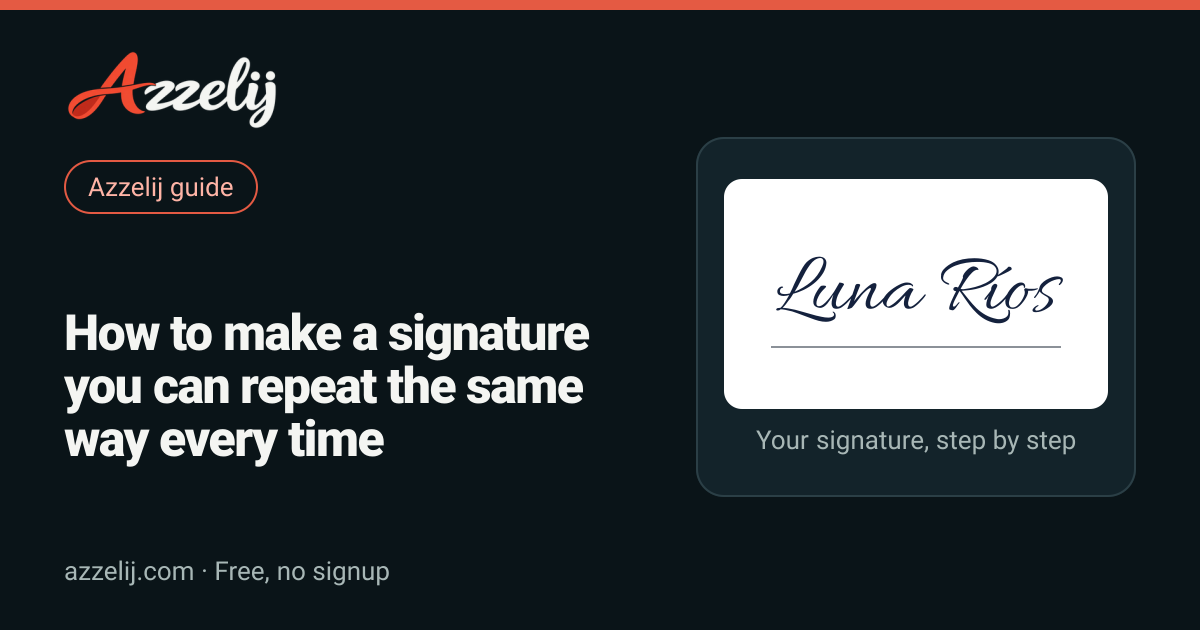
Most of us learned to sign the same way: one day someone asked us to sign something (a school ID, a first bank form, a phone contract) and we improvised a scribble that we're still using years later. Some people got lucky and that scribble turned out nice. Others sign differently every time, forget how the flourish went or, honestly, feel a little embarrassed by their signature. If you're in the second group, good news: a signature can be redesigned, and it's easier than it sounds.
In this guide you'll see what makes a signature look good while staying easy to repeat, which styles exist and who each one suits, a one-week practice method, letter-by-letter tips, how to take your signature digital for email or PDFs, and which safety habits are worth keeping. If you want to see ideas on screen while you read, open the signature generator: type your name, see it in dozens of lettering styles, and everything runs in your browser without sending your name to any server.
What makes a signature good
A signature has two jobs that sometimes pull in opposite directions. On one hand, it has to be yours, with something that sets it apart so it doesn't look like anyone else's. On the other, it has to be repeatable: if it comes out different every time, it loses its point and can cause trouble when someone compares it with the one on your ID. The ideal signature sits in the middle: it has personality, but it's made of movements your hand can repeat without thinking.
- It's comfortable. You can write it in two or three seconds without lifting the pen much. If it tires you out or forces you to go slowly, you'll simplify it by accident over time.
- It's consistent. Proportions, slant and the final stroke look very similar from one signature to the next. It doesn't need to be identical, just recognizable.
- It has a personal touch. A special capital letter, a shaped underline, a dot in an unexpected place or a flourish only you make.
- It fits where you need it. Signature boxes on forms are usually small; a signature that takes up half the page will struggle.
- It works at different sizes. It should hold up on the tiny line of a receipt, on a full page and in its digital version.
- You like it. Sounds obvious, but if you don't like your signature you'll keep changing it, and that's exactly what we want to avoid.
One important detail: a signature doesn't have to be readable to do its job in everyday life. Plenty of real signatures are pure strokes. What matters is that it's yours and you make it the same way. Still, many people prefer that at least the initial or the last name can be read, because it feels more personal and is easier to recognize.
Signature styles: which one fits you
Before practicing strokes, choose the format. It changes the result more than anything else. None is better than the others; it depends on your name, how much of it you want to show and how fast you need to sign. These are the most common formats and what tends to work with each.
| Style | Best for | Difficulty |
|---|---|---|
| Full readable name | School papers, letters, anyone who wants their name read | Medium: more letters to keep in check |
| First initial + last name | Everyday use, paperwork, work | Low: the most balanced format |
| Initials only | Long names, signing fast, initialing pages | Low, but harder to give personality |
| First name + last initial | Friendly signatures, dedications, art | Low |
| With a flourish | Anyone who wants an elegant, distinctive signature | High: the flourish must repeat |
| Minimal | People who sign a lot and want something clean and modern | Medium: with few strokes, each one matters |
| Monogram (interlaced letters) | Initials on artwork, stamps, creative signatures | High: you need to design the join |
Full name
The clearest option: anyone who sees it knows who signed. It works great with short names ("Ana Ruiz", "Luke Park") and gets harder with long names or double surnames, because the signature turns into a very long line. If you choose this style, focus on the capitals and the slant, which give it character. To see what your full name looks like in joined-up letters, try it in cursive letters and compare it with looser styles.
First initial plus last name
"M. Lopez", "J. Harrison", "R. Castillo". Many people's favorite format because it looks formal, is quick to recognize and leaves room to play with the first capital. A popular variant joins the initial to the last name with no period, like "MLopez", with a big M that wraps around the first letter of the surname. If your last name is very common, this is a good place to add something of your own, such as a special underline.
Initials only or monogram
Perfect if your name is long or you sign many pages (for example, initialing every page of a document). The downside is that two or three letters can easily resemble other signatures, so give them something special: interlace them, let one letter share a stroke with the next, or finish with a small flick. A well-designed monogram also works for signing drawings or photos.
With a flourish
A flourish is that extra stroke under, over or around the name: a wavy line, a loop, a zigzag. It's very common in Mexico and much of Latin America, and it adds an elegant touch. The challenge is that it has to come out the same every time, so a simple, single-motion flourish works best. If your flourish has five curves and three direction changes, it will probably never come out the same twice.
Minimal
Few letters, clean strokes, no decoration. It works really well if you sign quickly and want something modern. The trick is that with so few elements, each one has to be deliberate: the height of the capital, the angle of the final line, the spacing between letters. A careless minimal signature looks like a scribble; a well-planned one looks very professional.
Signature formats with a sample name
Take a moment with this list and write your own name in each format. The decision often makes itself: one feels natural and another feels forced. If your name has accents or letters like ñ, decide now whether you'll include them, because they change the rhythm of the stroke.
A step-by-step method to create your signature
Designing a signature is like learning a dance move: first you think it through, then you practice slowly, and eventually it happens without thinking. This method is built so that in about a week you have a defined, comfortable signature. All you need is paper, a pen you like and a few minutes a day.
- 1Pick a formatFull name, initial and last name, initials or first name with initial. Write your name in each.
- 2Find inspirationTry your name in different lettering styles and note which details you like.
- 3Design 3 versionsMix capitals, slant, joins and finishing strokes. Keep the most comfortable one.
- 4Practice 7 daysFill half a page a day, first slowly and then at your normal speed.
- 5Lock it in, go digitalOnce it comes out the same without thinking, use it everywhere and save an image version.
1. Pick a format
With the table above in mind, write your name in three or four formats and keep one or two finalists. Think about where you'll sign most: for paperwork, it may help if your last name is readable; for signing art or dedications, you can be freer.
2. Find inspiration
You don't have to invent everything from scratch. Look at your name in different typefaces and notice the details: how a capital starts, how one letter connects to the next, how tall the letters are compared with the baseline. In the signature generator you see your name in about 30 styles at once, from fine calligraphy to casual ballpoint strokes. You can also browse handwritten letters or the full catalog of text styles to find capital shapes that catch your eye. The goal isn't to copy a font exactly but to collect ideas: "I like this looped L", "I like how this one leans".
3. Design three versions
With those ideas, draw three versions of your signature. Change one thing at a time: try a big capital in one, an underline in another, a stronger slant in the third. Then write each one ten times, quickly. The one that comes out most even and comfortable is your candidate, even if it's not the prettiest on the first try.
4. Practice for seven days
Fill half a page a day with your signature. For the first few days go slowly, paying attention to every stroke. From day four on, sign at your normal speed, as if you were at a counter in a hurry. Compare each day's first row with its last: if they look alike, you're on track. If you notice you always change one part in the same way, your hand may be telling you that part should be simplified.
5. Lock it in and go digital
Once the signature comes out the same without thinking, use it for everything so it sticks. If you're about to renew an ID, wait until your new signature is well practiced, because that's the one people will compare against later. And if you need it digitally, we explain how to save it as an image further down.
Letter-by-letter tips
A signature is made of just a few elements: one or two capitals, some lowercase letters, joins between letters, an overall slant and sometimes an underline or flourish. If you take care of each one, the signature improves a lot even if you keep the same format.
Capitals: the star of the show
The first capital is what people notice most. You can make it taller than the rest (two to three times the height of the lowercase letters usually looks good), give it a loop at the start or let its last stroke turn into the first lowercase letter. Letters like M, L, J, G or R lend themselves to long curves; letters like A, T or E look good with straight, confident strokes. If you have two capitals (first and last name), let one be the star and the other support it so they don't compete.
Connecting strokes
Joins are what make a signature flow. You don't need to connect every letter: many signatures join two or three and leave the rest separate. What matters is that the joins are always the same. A good strategy is to connect the capital to the first lowercase letter and then let the rest of the last name flow in a single stroke. If a join forces you to backtrack or make an awkward move, drop it.
Slant
Most signatures lean slightly to the right, because that's how a right-handed writer's hand naturally travels. A light slant looks dynamic; a strong one looks elegant but is harder to keep steady. If you're left-handed, don't force a right slant: an upright signature or one leaning slightly left also looks great. The only thing that matters is that the slant stays consistent across the whole signature.
Underline and finishing stroke
An underline is the easiest way to give a signature personality. It can be a straight line, a gentle curve, a line that grows out of the last stroke of the final letter, or a line with a small hook at the end. Dots work too: two dots at the end, or the dot over the i in an unexpected place. Choose just one; piling on decorations makes the signature less clear.
- Keep lowercase letters at the same height; if they bounce up and down, the signature looks messy.
- Let the last letter end with an outward stroke instead of an abrupt stop.
- If your last name is long, you can shrink the final lowercase letters into a wavy line.
- Use a finishing stroke that comes from the same motion as the signature, without lifting the pen.
- Test your signature with different pens: what looks good with gel ink can look odd with a ballpoint.
How to make your signature come out the same every time
Consistency is the most neglected part and the one that matters most. A beautiful signature that changes every time doesn't do its job. These are the most common reasons a signature varies, and how to fix them.
- Too many strokes. Every extra stroke is another chance for something to come out differently. Simplify until everything comes from two or three movements.
- Lifting the pen too often. Each time you lift and put it back down, the position shifts. Try to write almost the whole signature without lifting.
- No reference. Keep a photo or image of your ideal signature and compare yourself with it now and then.
- Switching surfaces. Signing on a screen, on paper or in the air changes the stroke. Also practice on the surfaces where you sign most.
- Not practicing enough. A week of daily practice is worth more than a month of practicing now and then.
Something that helps a lot is giving each part a mental name: "the big M, the join, the wavy surname, the hooked line". When you sign thinking of those four parts, your hand follows a known route and the result is much more stable.
Digital signatures: email, PDF and documents
These days you often need your signature on a computer or phone: at the bottom of an email, on a PDF someone asked you to sign, on a letter or a school form. The most practical approach is to keep your signature saved as an image, ready to insert. There are two formats worth knowing.
- PNG with a transparent background. The most compatible format. It looks good on white or colored backgrounds because it doesn't carry a box around it. It works in most document editors, slide apps and email signatures.
- PNG with a white background. Useful if the program you're pasting into doesn't handle transparency well, or if you'll print it on white paper.
- SVG. A vector format: you can scale it up without pixelation. Great for design, large prints or web pages, although not every office program accepts it.
The signature generator gives you two paths. In the "Type your signature" tab you enter your name and see it in many lettering styles; you adjust the ink color (black, pen blue, navy, graphite, wine or any other color you pick), the size and the slant, and download the style you like as PNG or SVG. In the "Draw your signature" tab you draw it with a finger, stylus or mouse, change the stroke width, undo or clear, and the tool suggests variants built from your own strokes: slanted right, more upright, smoother, bold marker, compact, wide or with a flourish. You can download any of them or load one back into the drawing area. Your name and strokes stay in your browser.
A technical note: the SVG version of the typed styles is traced from the font outlines, so in a few styles some joins may look slightly different from the PNG. If something looks off, use the PNG, which is what you'll need in most cases anyway.
An image of your signature is not an advanced e-signature
This part needs to be very clear. Pasting an image of your signature into a PDF or email is handy for letters, internal documents or informal paperwork, but it isn't the same as an electronic signature with stronger legal standing. Advanced or certified e-signatures rely on digital certificates, identity verification and records that prove the document wasn't changed afterwards. An image, on the other hand, can be copied by anyone.
Whether a signature is legally valid depends on the country, the type of document and what the other party accepts. For contracts, official procedures, tax documents or anything important, use the e-signature service the institution or company tells you to use, or an officially recognized service in your country. If in doubt, ask whoever is requesting the signature or consult a professional. Our tool creates an image of your signature; it doesn't certify documents.
Security: protect your real signature
Your signature is part of your identity, so it's worth treating it with some care, especially online. This isn't about being paranoid, just about not giving it away.
- Don't post your real signature on social media, in photos of documents or in stories. If you want to show off your new signature, use a practice version or a creative variant.
- When you share photos of paperwork (a contract, a report card, a receipt), cover the signature along with details like your address or account number.
- Keep your signature file somewhere safe and don't send it around in chats.
- If you use your signature as an image on documents, consider sending the final PDF rather than the loose signature file.
- Have a separate creative signature for art, dedications or social media, and keep your official one for documents.
That last idea works really well: many people have an "artist signature" or autograph that resembles theirs but isn't the same. That way they can sign drawings, books or photos without exposing the signature they use at the bank.
Signatures for kids and students
Many kids and teens start signing at school: on tests, student IDs or permission slips. It's a great time to create a signature that will last, because they haven't settled into a scribble yet. A few tips for this stage:
- Keep it readable at first. A signature with the first name, or the initial and last name, is easier to learn and easier for teachers to recognize.
- Keep it short. Boxes on tests and school forms are small.
- Give it a single decoration. A star, an underline or a loop, not all of them together.
- Make it quick. If it takes too long, it'll simplify itself over time.
- Practice it like a game: filling a page with the signature in different colors or sizes makes it less boring.
For students learning joined-up handwriting, a signature is a great excuse to practice. Seeing their name in cursive letters or rounder styles can inspire them. And if they're curious about what their name "means", name numerology is a fun bit of trivia to go with the activity, as long as nobody takes it too seriously.
For teens getting their first ID, practicing beforehand is even more important. The signature they put there will be used for a lot of paperwork, so it's worth showing up with a signature already decided instead of improvising one at the counter.
Creative ways to use your signature
A signature isn't just for paperwork. If you draw, take photos, make crafts or create content, a nice signature adds a professional touch to your work. Here are some ideas for using it creatively (with your artist signature, not your official one).
- Sign your drawings or paintings in a corner, always in the same spot, so people recognize your work.
- Add your signature as a subtle watermark on your photos, using the PNG with a transparent background.
- Put your signature at the bottom of cards or quote images you make; the quote image maker helps you build the image and then you can add your signature.
- Sign your digital greeting cards for a more personal touch.
- Use a styled version of your name in your profile or bio; for that, copy-and-paste text styles like bold letters or aesthetic letters work better, because they're text.
- Turn your monogram into a personal logo for your social accounts, shop or portfolio.
Keep one important difference in mind: a signature as an image (PNG or SVG) is a drawing, while the decorated letters you paste on social media are Unicode characters, meaning text. If you want your name styled directly in your bio, the guide to pretty Unicode letters explains how they work and why not every device displays them the same way. And if you want ideas by platform, check the guide to fancy letters for social media.
If your creative signature comes with symbols, like a star or a heart, you can decorate your name with text frames and ornaments, or borrow ideas from the star symbols. Just remember that special letters and symbols may not be read correctly by screen readers, so use them as decoration and never for important information.
Signature ideas with your name
If you still don't know where to start, here are combinations that work with almost any name. Take the structure and swap in your own letters.
Signature structures to adapt to your name
- Giant capital + small wavy last name + straight underline.
- Interlaced initials + a dot at the end.
- Short readable first name + a looped flourish underneath.
- Initial + last name joined in one stroke + an upward finishing flick.
- Minimal signature: just the first letter of your name and a long slanted line.
- Full last name with a very decorated first letter and the rest kept simple.
A practical tip: before deciding, check how many letters your chosen version has. With the character counter you can quickly compare "Mariana Lopez" (13 characters including the space) with "M. Lopez" (8). Fewer letters almost always means a faster, more stable signature.
Common mistakes when making a signature
- Copying someone else's signature. Get inspired, but your signature should be yours. Signing too much like another person can also cause confusion.
- Changing it every month. If every document has a different signature, comparing yours becomes a problem.
- Making it too complicated. Five loops and three underlines look spectacular once, but they're nearly impossible to repeat.
- Designing it only at a large size. Test it in a small box too, like the one on a receipt.
- Forgetting the digital version. If you sign documents online, keep your image ready and stored somewhere safe.
- Posting your real signature. Use a creative version when you share it on social media.
Quick summary
A great signature doesn't depend on having "nice handwriting". It depends on picking a format that suits your name, giving it one or two personal touches, simplifying it until it's comfortable and practicing for a few days. After that, save it digitally for when you need it and protect your real signature like you would any personal detail. If you want to start right now, type your name into the signature generator, pick the two or three styles you like most and use them as a starting point for practicing on paper.
Tools in this guide
- Handwritten signature generatorType your name, pick a style and download it as PNG or SVG.
- Cursive text generator for copy and pasteTry cursive Unicode text with your own words
- Script text generator for names and biosTry script text with your own words
- Quote image makerWrite a quote, pick a background and download it ready to share.
- Fancy text styles to copy and pasteCompare fancy text styles with your own words
Frequently asked questions
How do I make a nice signature if my handwriting is bad?
You don't need good handwriting. Pick a short format, like first initial plus last name, give it one personal touch (a big capital or an underline) and practice slowly for a few days until it comes out the same. Seeing your name in different styles in the signature generator also helps you find ideas.
Does a signature have to be readable?
Not necessarily. In everyday life what matters is that it's yours and you make it the same way. Many people prefer that at least the initial or last name can be read because it's easier to recognize, but it's a personal choice.
Can I use an image of my signature to sign contracts?
An image of your signature works for letters, emails or informal documents, but it isn't the same as an advanced, certificate-based electronic signature. Validity depends on the country, the document and what the other party accepts. For contracts or official procedures, use the e-signature service you're told to use or an official one in your country.
Which format should I use, PNG or SVG?
A PNG with a transparent background is the most compatible with email, documents and slides. SVG is a vector format that scales without losing quality, ideal for design or printing, though not every office program accepts it.
How long does it take to learn a new signature?
With half a page of practice a day, many people have a stable signature within one or two weeks. If one part still keeps changing after that, simplify it.
Does the generator store my name or signature?
No. Your name and strokes are processed in your browser and are not sent to or stored on any server. Downloads are created on your own device.
 Symbols for names and nicknames: how to decorate without the mess
 Zodiac compatibility: how it works and the most compatible signs
 How to make an original gamer name: formulas, ideas and mistakes to avoid