

Symbols for names and nicknames: how to decorate without the mess
To decorate a name, pick one symbol family, place it in symmetric pairs on both sides and keep the name readable in the middle. Test it in the actual app or game first, because not every platform accepts the same characters.
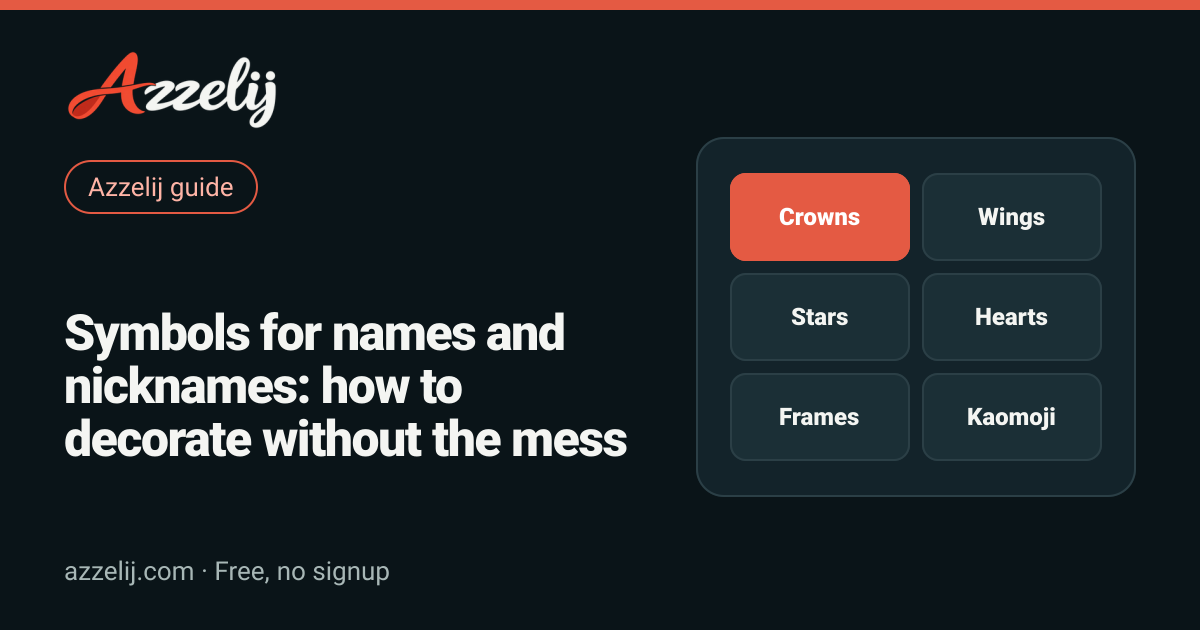
A nickname with a couple of well-placed symbols stands out right away: in a friends list, on a match scoreboard or in the comments under a video. The catch is that it is just as easy to overdo it. Three crowns, two hearts, an arrow and a kaomoji all at once do not look aesthetic; they look like a keyboard fell down the stairs. The good news is that decorating a name follows a few simple rules, and once you know them you can build something nice in a couple of minutes.
This guide walks you through the main families of symbols, what each one tends to say, how to frame a name so it looks balanced, why a heart sometimes turns into an emoji on its own, what those empty boxes are and what is going on with games that filter characters. At the end you will find more than 100 decorated names ready to copy, sorted by vibe. If you would rather jump straight in, open the symbols and decorations catalog in another tab and copy whatever you like: everything runs inside your browser.
What name symbols are (and why you can copy them)
The symbols you see in decorated nicknames are not images or stickers. They are text characters, just like the letter A or the number 7, and they belong to Unicode, the standard almost every system uses to represent writing. Unicode covers alphabets from all over the world, math signs, chess pieces, music notes, arrows, typographic ornaments and thousands of other things. That is why you can copy a crown ♛ and paste it into a chat: what travels is a code, and the receiving device draws it with whatever font it has installed.
That explains two things you will run into throughout this guide. First, the same symbol can look a little different on Android, on an iPhone or on a computer, because each system ships its own fonts. Second, if a font has no drawing for a character, you see an empty box instead of the symbol. The symbol is not broken; that device simply does not know how to draw it. If you want the deeper technical side of styled letters, the guide on fancy Unicode letters explains it step by step.
The most popular symbol families and what each one says
Not every symbol says the same thing. A crown sends a very different message than a flower, and a gothic cross has nothing in common with a music note. Before you decorate, think about what you want people to feel when they read your name: respect, sweetness, mystery, energy? That idea helps you pick one family and stick with it.
Crowns: status and presence
Most crowns come from chess pieces: ♔ is the white king (U+2654), ♕ the white queen, ♚ the black king and ♛ the black queen (U+265B). The black versions are filled in and look bolder; the white ones are just outlines and look lighter. They say leadership, confidence and a little bit of showing off, so they suit clan leaders, streamers or anyone who wants a royal touch. The crown symbols collection has more variants to compare.
Wings and side frames: main-character energy
What most people call wings are really pairs of signs from other writing systems that look like open wings when placed on both sides. The most famous are ꧁ and ꧂ (U+A9C1 and U+A9C2), punctuation from the Javanese script, and ༺ and ༻ (U+0F3A and U+0F3B), from Tibetan. There are also ʚ and ɞ, phonetic letters that together look like tiny butterfly wings. Wings frame a name on both sides and give it an epic or angelic feel. You can browse more in the wing symbols section.
Stars and sparkles: shine and dreams
★ (U+2605) and ☆ (U+2606) are the classic filled and outlined stars. ✦ (U+2726) and ✧ (U+2727) are four-pointed sparkles that look thinner and more modern, and ⋆ is a tiny star that works as a separator between words. Stars feel dreamy, shiny or star-of-the-show. They go well with almost anything, which makes them the safest family when you do not know where to start. There are plenty more in the star symbols.
Hearts: warmth and sweetness
♡ (U+2661) is the outlined heart, ♥ (U+2665) is the playing-card heart and ❤ (U+2764) is the heavy heart that many apps turn into a red emoji. There is also ❥, a tilted heart with a tail that looks great next to a name. Hearts say affection, sweetness or romance, and they fit couple names, fan accounts and soft profiles. Watch out for ❤, because it is the one that changes the most from device to device; we explain why further down. For more options, check the heart symbols.
Flowers: delicate and aesthetic
✿ (U+273F) and ❀ (U+2740) are the most used flowers; ❁ and ✾ have different petals, and ⚘ is a flower with a stem. They feel fresh, soft and very aesthetic. They work especially well with thin or lowercase letters and pastel profile pictures. If you want to build a whole profile around that vibe, the flower symbols and the aesthetic letters make a great pair.
Brackets and frames: order and tags
East Asian brackets such as 『』 (U+300E and U+300F), 【】 (U+3010 and U+3011) and 「」 wrap a whole word and make it look like a label. They are ideal for clan tags, for separating a prefix from the name or for highlighting a title. They feel organized and serious, with a hint of anime or Japanese video games. The full set lives in the decorative brackets.
Arrows, music notes and kaomoji
Arrows like ➤, ➳ or ⇝ suggest motion and direction; they are perfect for fast players or for bios with a dynamic touch, and the arrow symbols have plenty. Music notes ♪ (U+266A), ♫ (U+266B) and ♬ are an obvious pick for musicians, DJs or fans of a band, and you will find them in the music symbols. And kaomoji, those little faces built from characters like (。•̀ᴗ-)✧ or ʕ•ᴥ•ʔ, add personality and humor. Find your favorite face in the kaomoji collection or, if you like the classic keyboard ones, in the ASCII faces.
| Family | Example | Best for | Caution |
|---|---|---|---|
| Crowns | ♛ Valeria ♛ | Leaders, streamers, nicknames with presence | Chess pieces can show as emoji in some apps |
| Wings | ꧁ Kairo ꧂ | Epic nicknames, main-character profiles | They come from less common scripts; some fonts show boxes |
| Stars | ✦ Nova ✦ | Almost any style, dreamy profiles | Too many of them create visual noise |
| Hearts | ♡ Mia ♡ | Sweet profiles, couples, fans | ❤ may turn into a red emoji without warning |
| Flowers | ✿ April ✿ | Aesthetic style, soft bios | They lose their delicacy next to heavy letters |
| Brackets | 【 Zeta 】 | Clan tags, prefixes, titles | They are wide and count as characters |
| Arrows | ➳ Dash | Fast nicknames, dynamic bios | Some look alike and render crooked in small fonts |
| Music notes | ♫ Sofi ♫ | Musicians, DJs, fans | Out of context they look like filler |
| Kaomoji | Leo (。•̀ᴗ-)✧ | Humor, personality, casual nicknames | Long for character-limited names; combining marks can shift |
How to frame a name: pairs, symmetry and space
Most decorated nicknames that look good share one structure: an opening symbol, the name and a closing symbol that mirrors the first. That symmetry makes the eye read the whole thing as a frame and go straight to the center, which is your name. When the two sides do not match, the name feels lopsided and harder to read.
- Use real pairs. Many symbols come with a partner: ꧁ with ꧂, ༺ with ༻, 『 with 』, 【 with 】, ʚ with ɞ, ☾ with ☽. If you open with one, close with its partner.
- If a symbol has no partner, repeat it. ♛ Name ♛ or ✦ Name ✦ works because both sides are identical.
- Leave a space between the symbol and the name when the platform allows it. It breathes better and reads faster.
- One or two layers at most. An outer frame plus a small inner detail is plenty: ꧁✦ Name ✦꧂.
- One main family. If you pick stars, let the stars lead. Mixing crowns, flowers and arrows usually looks messy.
- Keep the name readable. You can change the lettering, but people should understand it at first glance.
If building every combo by hand sounds tedious, the name decorator shows your nickname inside dozens of frames at once, so you can compare them and copy your favorite with one tap.
- 1Outer frameA symmetric pair, like ꧁ ꧂ or 『 』, that wraps everything and sets the first impression.
- 2Inner detailA small symbol repeated on each side, like ✦ or ♡, that reinforces the vibe.
- 3SpacingA space between the decorations and the name so the whole thing breathes and reads fast.
- 4Readable nameThe center of it all. Plain letters or a style people can read at first glance.
- 5Optional accentA kaomoji, number or suffix at the end if you have characters to spare. Never required.
- 6Final testPaste it into the real game or app and check that it shows up, fits and gets accepted.
Emoji or text symbol: why ❤ sometimes becomes ❤️
Some characters have a double life. The heart ❤ (U+2764) was in Unicode long before emoji took off, as a text ornament. When emoji arrived, that same character also got a color version. To choose between them there are variation selectors: an invisible character placed right after the symbol. U+FE0F asks for the emoji version (in color) and U+FE0E asks for the text version (monochrome).
In practice, each app decides what to do when there is no selector. Some show the text heart, others turn it into a red emoji, and some keyboards add the selector for you when you insert it. The same thing happens with other symbols like ☺, ☀, ♠ or ✔. If you want a consistent look, you have two options: choose symbols that have no emoji version, such as ♡, ✦ or ✿, which almost always render as text, or accept that the heart will be red in some places. One important detail: the variation selector counts as an extra character even though you cannot see it, which can push a nickname that seemed to fit over the limit.
Empty boxes, question marks and fonts
When a device receives a character none of its fonts can draw, it shows an empty rectangle, sometimes with a question mark or a code inside. People call it tofu because of the little block shape. It does not mean you copied it wrong; it means that system does not have the symbol. It happens more with rare characters, like Egyptian hieroglyphs or signs from historic scripts, and almost never with basic stars, hearts or arrows.
That is why common symbols are the better bet when lots of people will see your name on different devices. If you decide to use something more exotic, check it at least on an Android phone, an iPhone and a computer, or ask a friend to send you a screenshot. If a box shows up anywhere, swap it for a more common symbol from the same family. Games also tend to use their own built-in font, which often has fewer symbols than the operating system; what looks perfect in a messaging app can show up as boxes inside a match.
Symbols for Free Fire and other games: test before you commit
Lots of people look for symbols for Free Fire, for a Roblox display name or for any other game account. The reality is that each game decides which characters it accepts, and that list can change with an update. Some let almost anything through, others only allow letters and numbers, and others accept certain symbols but swap them for spaces or asterisks. So we are not going to promise that a given symbol works in a given game; the honest answer is to test it.
- Build two or three versions of your nickname using different symbols from the same family.
- Check the length with a character counter before you open the game.
- Paste the first version into the name field and see whether the game accepts it or shows an error.
- If renaming costs coins or diamonds, test in a free field first if there is one, like a clan description or a chat.
- Always keep a plan B without unusual symbols, in case the game rejects every version.
For ideas built around that game, check the page of Free Fire names. And if you still do not have a base word you love, the gamer name generator gives you combinations to decorate afterwards. The guide on creating an original gamer name also helps you pick a nickname that makes sense before you add any decoration.
Readability and screen readers
Symbols are decoration, and like all decoration they come at a cost. For people who use screen readers, a nickname full of ornaments can sound like a long list of technical names, such as black chess queen or black four-pointed star, or simply silence if the reader does not recognize the character. Styled letters, like Unicode gothic or script, are sometimes read letter by letter or skipped entirely.
- Keep the name itself in plain letters whenever you can and use symbols only as a frame.
- Do not put important information in symbols: if your nickname includes your player number or clan tag, write them with regular characters.
- On professional profiles or accounts people need to find through search, use few decorations or none. Search boxes rarely find a name written in styled letters.
- If you use gothic letters or another style, make sure the word is readable at a glance, even on a small screen.
Combos by vibe: 100+ names to copy
Here are ideas sorted by vibe. Every name is just an example: swap the center for your own name and keep the frame, or mix the frame from one list with the style of another. Remember to check that it fits in the game or social network where you plan to use it.
Gamer style
Competitive nicknames work best with little decoration and a lot of punch: filled crowns, swords, lightning and brackets that double as a tag.
Gamer nicknames with symbols
Aesthetic style
Aesthetic names need air: thin symbols, lowercase letters, spaces and little dots. Less is more.
Aesthetic names with symbols
Cute style
Outlined hearts, flowers, butterflies and kaomoji. This is where a bit more sweetness is welcome.
Cute names to copy
Dark style
Crosses, moons, skulls and swords for mysterious nicknames. They pair really well with gothic letters.
Dark names with symbols
Music, crowns and arrow combos
More combos by family
Double frames and tags
Two-layer frames
Short nicknames with a single detail
When a game gives you very few characters, one symbol at the start or the end is enough to make your nickname look polished.
Short nicknames with one symbol
If none of them fits as is, keep the structure. The outer frame plus inner detail plus name formula works with any family: swap the wings for brackets or the stars for flowers and you have a new combo in seconds.
Common mistakes when decorating a nickname
- Too many symbols. If the decoration takes up more room than the name, people will not know what to call you.
- Frames that do not close. Opening with ꧁ and closing with a heart looks like a typo, not a style.
- Mixing five families. Crowns, flowers, arrows, notes and skulls together do not send any clear message.
- Forgetting the limit. A nickname cut off halfway looks worse than one with no decoration at all.
- Skipping the second-device check. What looks great on your phone can be a row of boxes on a friend's console.
- Copying someone else's exact nickname. Get inspired, but build your own; it also saves you confusion in game.
Step by step: decorate your name today
- Decide the vibe: gamer, aesthetic, cute, dark or musical.
- Pick a symbol family that matches that vibe.
- Choose a symmetric pair for the outer frame.
- If you have room, add a small inner detail.
- Check the length and test the result in the real app or game.
- Save your favorite combo plus a version without symbols.
Decorating a name should be fun, not a headache. With one family, one symmetric pair and a quick test where you plan to use it, you get a nickname that stands out without making it hard to read. And if you get bored one day, just change the frame: your name is still yours.
Tools in this guide
- Cool symbols to copy and decorate namesAdd one symbol without hiding the name
- Decorate a name with Unicode symbolsTry decorations around your name
- Brackets y marcos para nombres gamerWrap your name with a matched frame
- Símbolos de coronas para nombresAdd crown symbols to your name
- Kaomoji to copy and paste: Japanese facesCopy kaomoji by emotion
- Character and word counterPaste your text and see how long it is
Frequently asked questions
How do I put symbols in my name?
Copy the symbol from a list or tool, paste it before and after your name in the field where you will use it and save. To compare several options at once, use a name decorator and copy the one you like best.
Why does my symbol show up as a box?
Because the font on that device or game has no drawing for that character. Swap it for a more common symbol from the same family, such as ✦ instead of a rare sign.
Do symbols work in Free Fire and other games?
It depends on the game and can change with any update. Some accept many symbols and others block or replace them. Test in the game before paying for a rename and keep a version without symbols as a backup.
Why does the ❤ heart turn red in some apps?
That character has both a text version and an emoji version. Some apps or keyboards add an invisible variation selector that asks for the color version. If you want a heart that looks like text, use ♡.
How many symbols should my nickname have?
Ideally one pair as a frame and, at most, one extra detail. If the decoration takes up more room than the name, it gets hard to read and remember.
 How to make a signature you can repeat the same way every time
 Zodiac compatibility: how it works and the most compatible signs
 How to make an original gamer name: formulas, ideas and mistakes to avoid